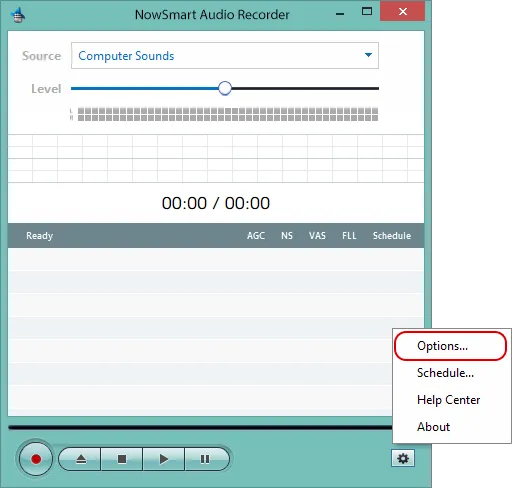
Click Options.
Go to Files > Auto Name and choose the folder and naming settings you need.
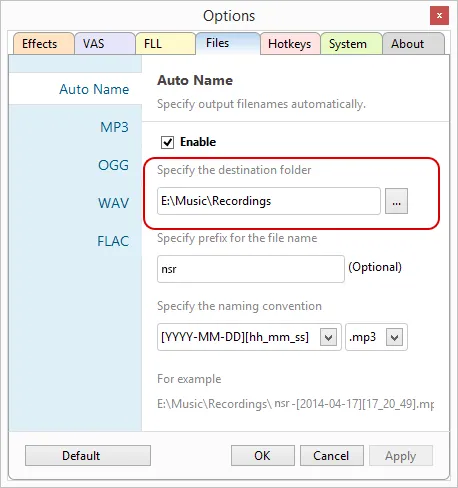
Codes you can use in the file name:
| Code | Meaning | Example |
|---|---|---|
YYYY | Year | 2024 |
MM | Month | 04 |
DD | Day of the month | 17 |
hh | Hour, 24-hour clock | 17 |
mm | Minutes | 20 |
ss | Seconds | 49 |
Related articles
Still need help? Browse all NowSmart Audio Recorder articles or contact support.
Start with the free version
The free version of NowSmart Audio Recorder records up to 5 minutes per file. NowSmart Audio Recorder Pro removes the limit and adds Trim for a one-time USD 9.99.