NowSmart Audio Recorder combines several audio files into a single file.
Step 1: Add the files in order
Open the audio files in NowSmart Audio Recorder, or drag them into the window, in the order you want.

Step 2: Merge the files
Right-click any file in the recording list, select Merge all to one, and choose the output format.
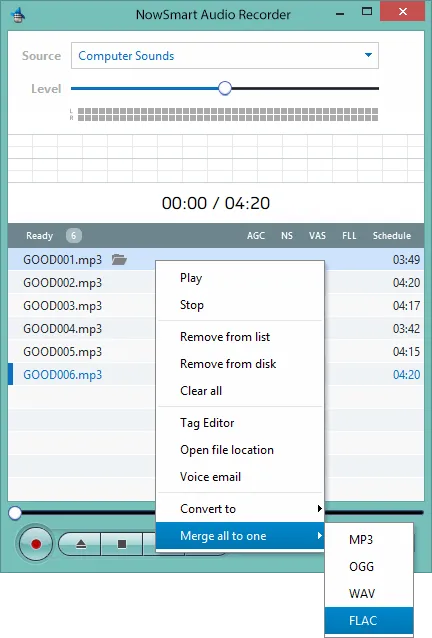
The built-in merger combines all files in the recording list into one file.
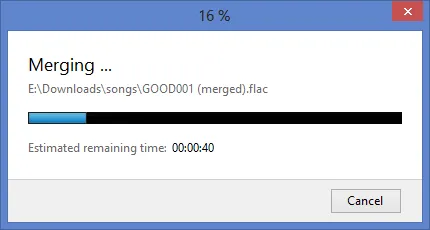
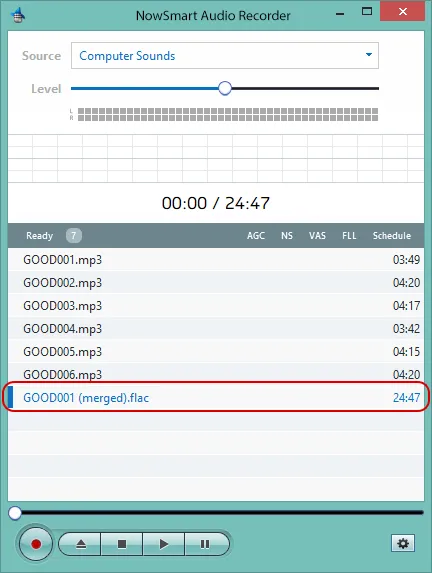
When it finishes, the merged file appears in the format you chose.
Related articles
Still need help? Browse all NowSmart Audio Recorder articles or contact support.
Start with the free version
The free version of NowSmart Audio Recorder records up to 5 minutes per file. NowSmart Audio Recorder Pro removes the limit and adds Trim for a one-time USD 9.99.