NowSmart Audio Recorder has a built-in audio converter for MP3, OGG, WAV, and FLAC. It also reduces the size of recordings; MP3 is an efficient format for small files.
Step 1: Check the format settings
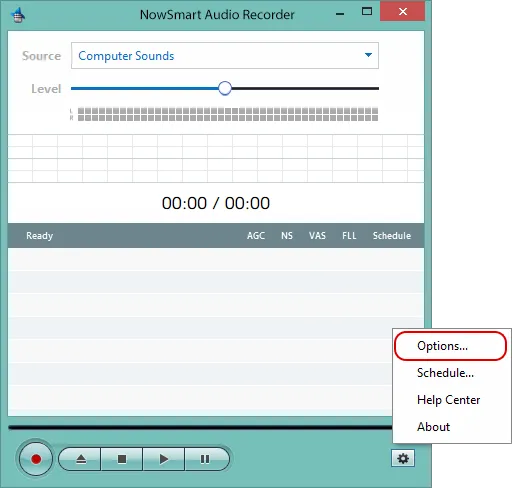
Click Options.
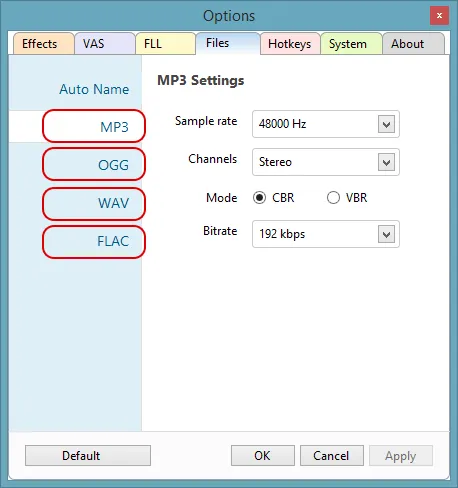
Go to the Files tab and click a format label (MP3, OGG, WAV, or FLAC) to adjust its settings.
Step 2: Convert the file
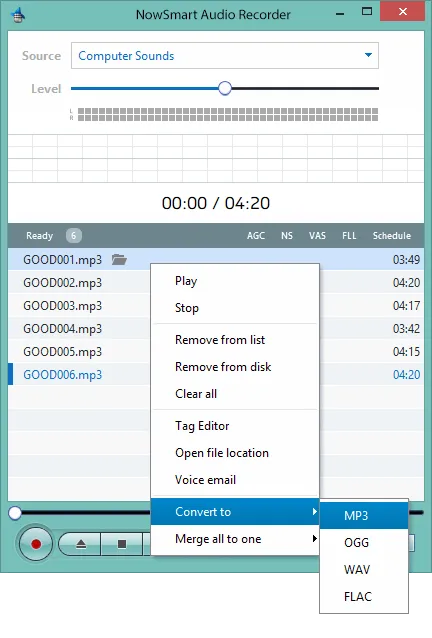
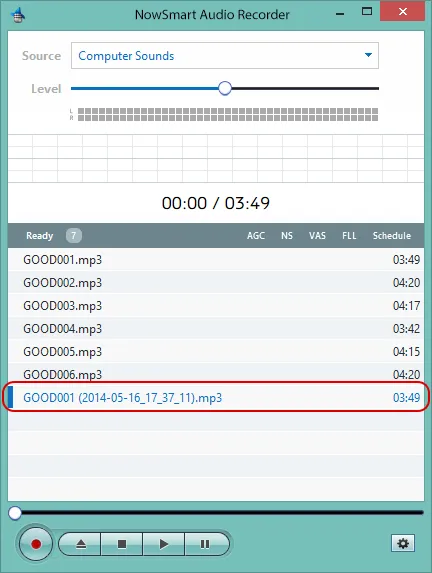
Right-click the file in the recording list, choose Convert to, and select the format, for example MP3.
The converter applies your format settings.
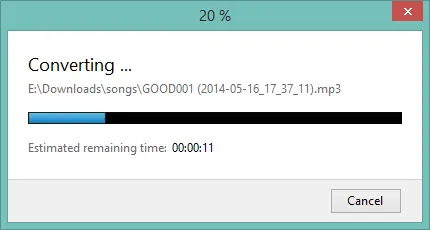
When it finishes, the converted file appears in the format you chose.
Related articles
Still need help? Browse all NowSmart Audio Recorder articles or contact support.
Start with the free version
The free version of NowSmart Audio Recorder records up to 5 minutes per file. NowSmart Audio Recorder Pro removes the limit and adds Trim for a one-time USD 9.99.