Click Options.
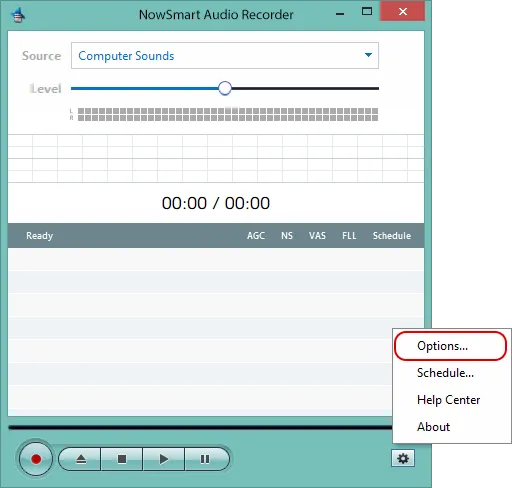
Go to Files.
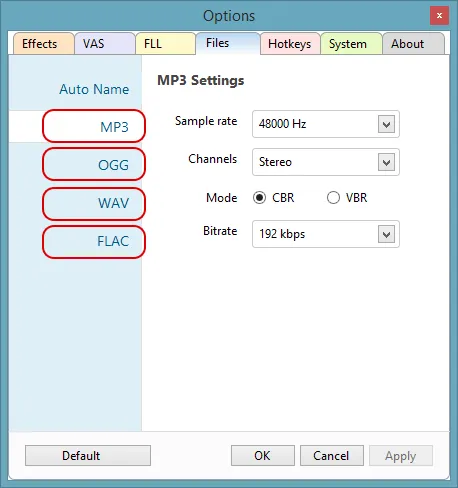
Click the MP3, OGG, WAV, or FLAC label to open the settings for that format.
Settings for the smallest files
Save recordings as MP3 with these settings:
- Sample rate: 8000 Hz
- Channels: Mono
- Mode: Normal
- Bitrate: 8 kbps
Related articles
Still need help? Browse all NowSmart Audio Recorder articles or contact support.
Start with the free version
The free version of NowSmart Audio Recorder records up to 5 minutes per file. NowSmart Audio Recorder Pro removes the limit and adds Trim for a one-time USD 9.99.