Step 1: Select the audio source
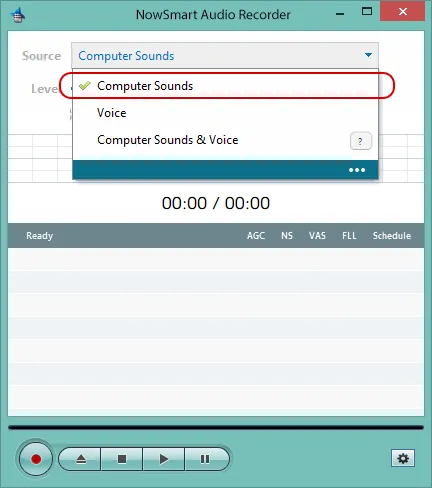
Speakers, Stereo Mix, and What U Hear are common choices for recording the audio your computer plays.
Step 2: Name your audio file (optional)
Click Add/New to select an audio file or to name a new one, such as test.mp3, test.wav, or test.flac.

NowSmart Audio Recorder saves the recording directly to this file. You can play the recording in NowSmart Audio Recorder or in any media player.
Step 3: Start recording
Press Record to start.

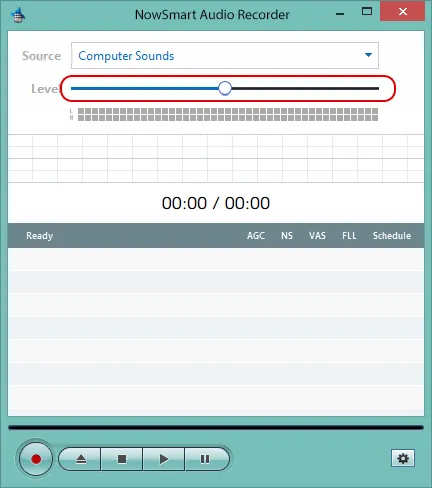
Adjust the recording level as needed.
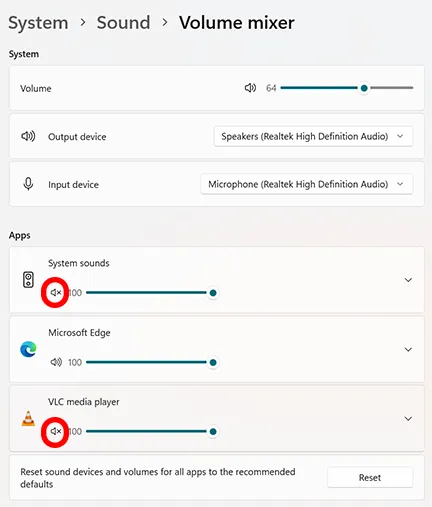
Step 4: Keep sounds from other apps out
Right-click the speaker icon in the taskbar, select Open volume mixer, and mute the apps you do not want in the recording.
Related articles
Still need help? Browse all NowSmart Audio Recorder articles or contact support.
Start with the free version
The free version of NowSmart Audio Recorder records up to 5 minutes per file. NowSmart Audio Recorder Pro removes the limit and adds Trim for a one-time USD 9.99.