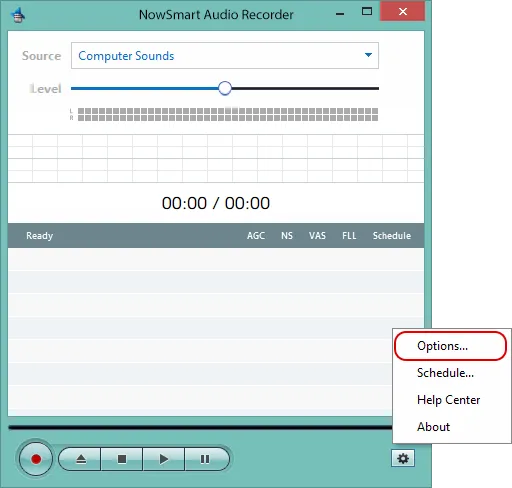
Click Options.
Split by file length or size
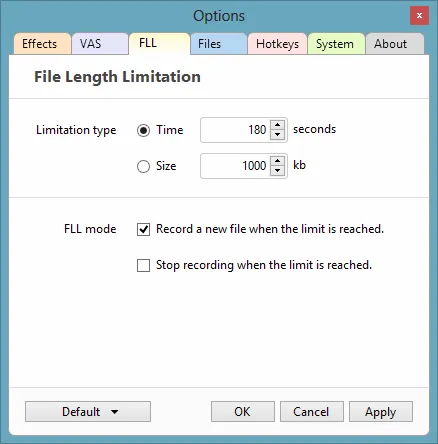
Go to the FLL tab, adjust the limits, and turn on Record a new file when the limit is reached.
Split by silence
Go to the VAS tab and configure the settings.
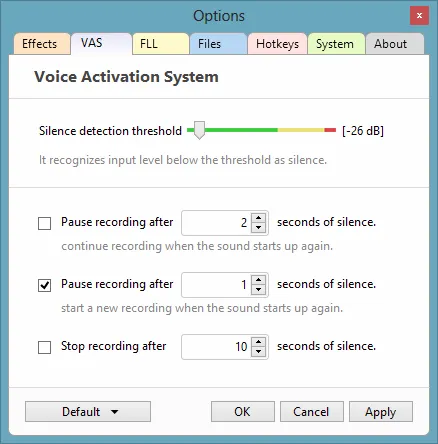
For the Voice Activation System (VAS) to work well, make a few test recordings to find the right Silence Detection Threshold. NowSmart Audio Recorder treats any input level below this threshold as silence.
Skip silence
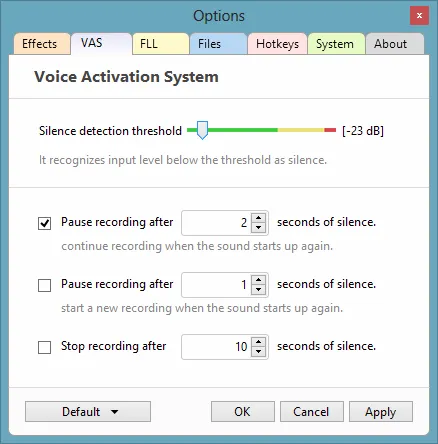
Configure VAS as above, then enable Pause recording after X seconds of silence, continue recording when the sound starts up again.
Related articles
Still need help? Browse all NowSmart Audio Recorder articles or contact support.
Start with the free version
The free version of NowSmart Audio Recorder records up to 5 minutes per file. NowSmart Audio Recorder Pro removes the limit and adds Trim for a one-time USD 9.99.