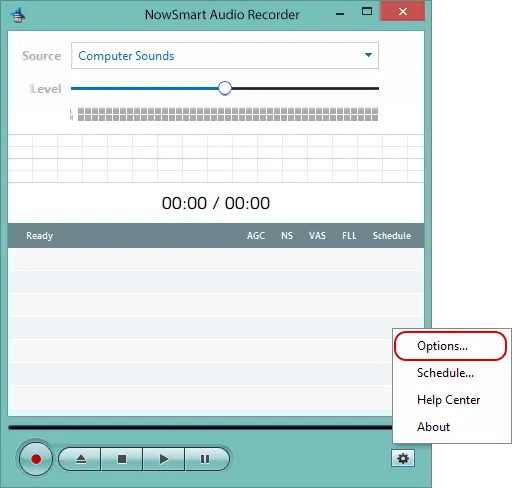
Click Options.
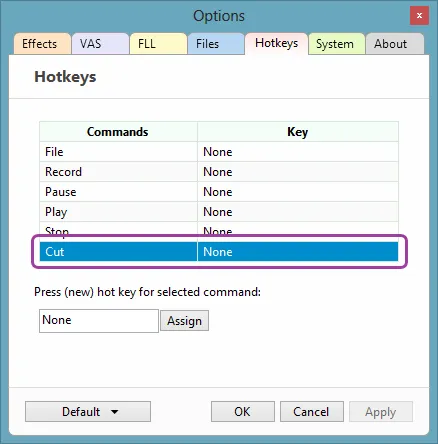
Go to the Hotkeys tab and choose the command you want to assign a hotkey to. In this example, Cut stops the current recording and starts a new one instantly.
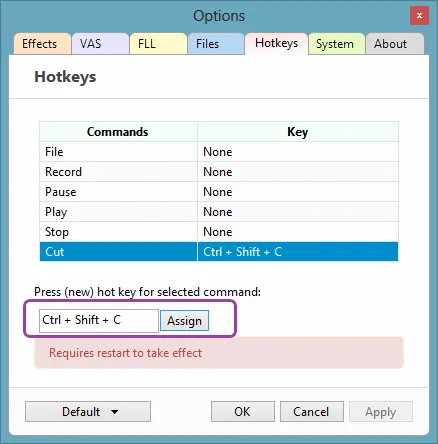
Enter a hotkey in the box, then click Assign.
Related articles
Still need help? Browse all NowSmart Audio Recorder articles or contact support.
Start with the free version
The free version of NowSmart Audio Recorder records up to 5 minutes per file. NowSmart Audio Recorder Pro removes the limit and adds Trim for a one-time USD 9.99.